> ## Documentation Index
> Fetch the complete documentation index at: https://docs.twin.so/llms.txt
> Use this file to discover all available pages before exploring further.
# Build vs Run
> Understand the two execution modes and how they affect credits
Every agent in Twin operates in one of two modes: **Build** or **Run**. Understanding the difference is key to using Twin efficiently.
## Overview
**Creating or updating an agent.** Twin uses high-reasoning AI to interpret your goal, plan the steps, and generate the automation logic.
**Executing a deployed agent.** Twin uses a lighter-weight model that leverages the agent's memory from previous builds. Repeat runs are **typically 3-10x cheaper** than the initial build.
## Build Mode
Build mode is active when you're creating a new agent or modifying an existing one through the chat editor.
During a build, Twin:
* Analyzes your natural-language instructions
* Plans the execution steps
* Generates the automation logic
* Sets up integrations and navigation
* Handles edge cases and retries
This requires the **high-reasoning model**, which is the most credit-intensive operation.
Build mode runs whenever you:
* Create a brand new agent
* Update an existing agent's goal or logic
* Ask the chat editor to add new steps or change behavior
You'll always confirm whether to use **high** or **low** reasoning before a build starts — so you're in control of the cost.
## Run Mode
Run mode is active when a deployed agent executes a task — whether triggered manually, on a schedule, or via a webhook.
During a run, Twin:
* Follows the logic established during the build
* Uses a lightweight reasoning model
* Leverages the agent's memory for efficient execution
* Is often **3-10x cheaper** than a build
Run mode is used whenever you:
* Click "Run" on a deployed agent
* A schedule triggers an agent
* A webhook event starts an agent
* Use the API to trigger an execution
## Cost Comparison
| Mode | Reasoning | Relative Cost | Used For |
| --------- | ------------ | ------------------------------- | --------------------------- |
| **Build** | High | Higher | Creating or updating agents |
| **Run** | Low + memory | Lower - often **3-10x cheaper** | Executing deployed agents |
Build once, run many times. The more you run a deployed agent, the more cost-efficient it becomes — each run is just a fraction of the original build cost.
## How to Tell Which Mode You're In
The Twin interface clearly indicates the current mode:
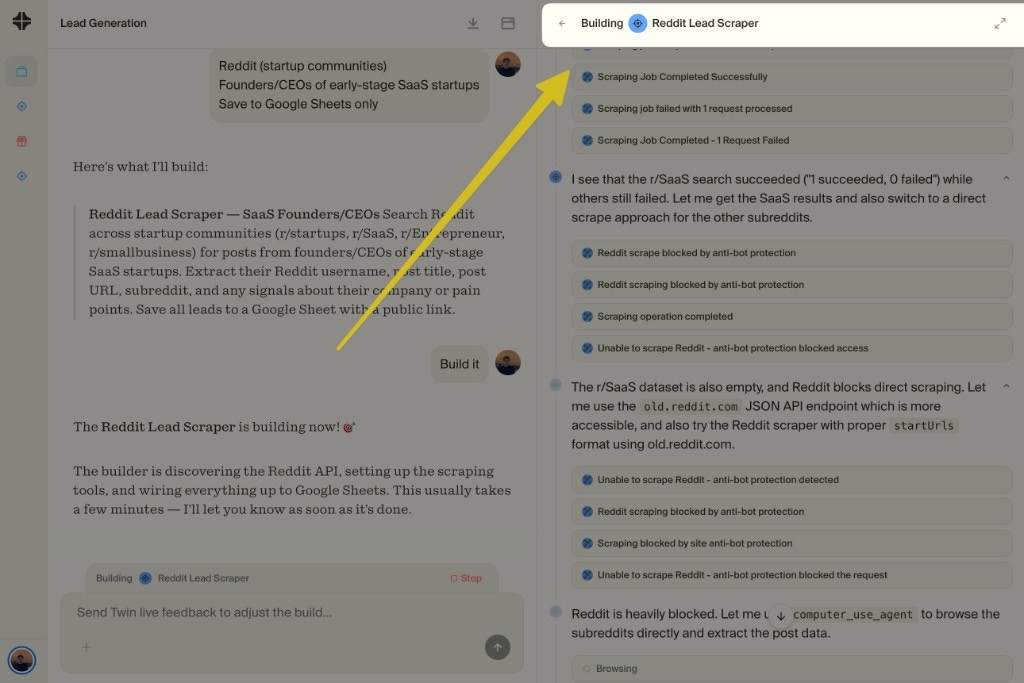
**Build mode** — Active in the chat editor when you're creating or modifying an agent. You'll see the build progress and can review the plan before it executes.
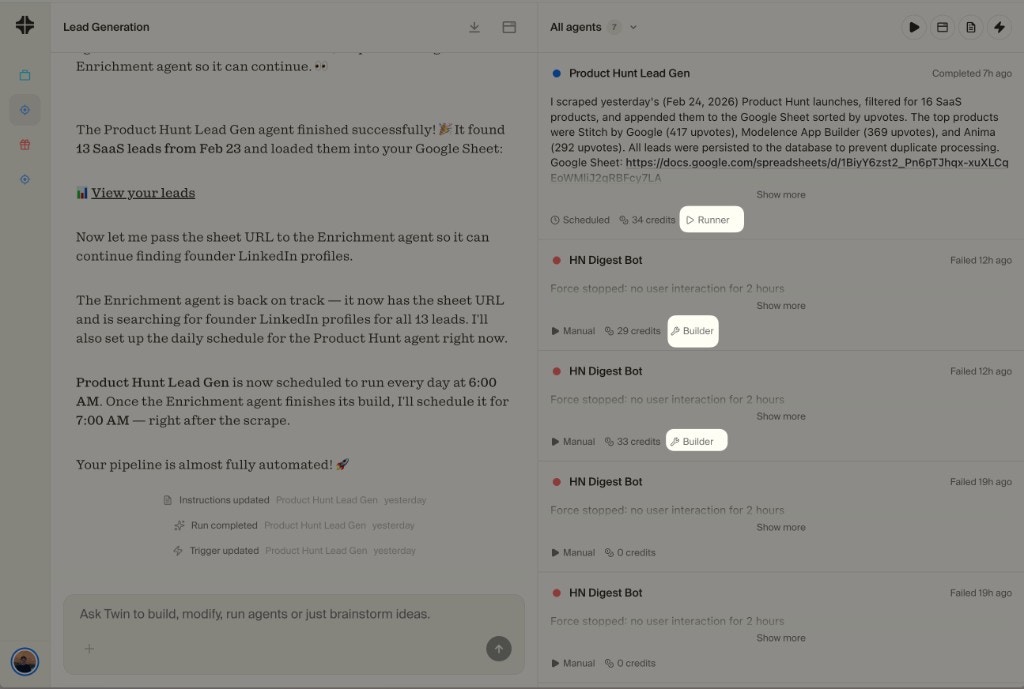
 **Run mode** — Active when a deployed agent is executing. You'll see the live run status, steps being performed, and results as they come in. Notice the "Runner" and "Builder" badges on each run.
 ## What Happens at 0 Credits
When your credits run out:
* **In-progress builds always finish** - Twin never interrupts a build mid-execution
* **Trial users keep getting daily credits** - during the 14-day trial, Twin adds more credits each day
* **Paid users can top up or wait for renewal** - see [Pricing](/pricing) for the current plan options
View your balance and usage breakdown
## What Happens at 0 Credits
When your credits run out:
* **In-progress builds always finish** - Twin never interrupts a build mid-execution
* **Trial users keep getting daily credits** - during the 14-day trial, Twin adds more credits each day
* **Paid users can top up or wait for renewal** - see [Pricing](/pricing) for the current plan options
View your balance and usage breakdown