
Create Your Free Account
Sign up and get 1,000 free credits — no credit card required
Task 1: Scheduled Email Categorizer
Your first agent will run every day at 9 AM, scan your Gmail inbox, categorize emails into a Google Sheet, and send you a Slack message when it’s done. This task introduces you to:Build Mode
Creating your first agent from scratch
Time Schedules
Automating tasks on a recurring basis
OAuth Integrations
Seamlessly connecting Gmail, Sheets, and Slack
Step 1 — Open a new Workspace
Go to Twin and create a new Workspace. A workspace is where your agents live — think of it as a project folder where agents collaborate and share context. Every agent must live inside a workspace.Step 2 — Chat with the Orchestrator
On the left side of your screen you’ll see the Orchestrator — the AI chat that manages your workspace. This is where you describe what you want to build.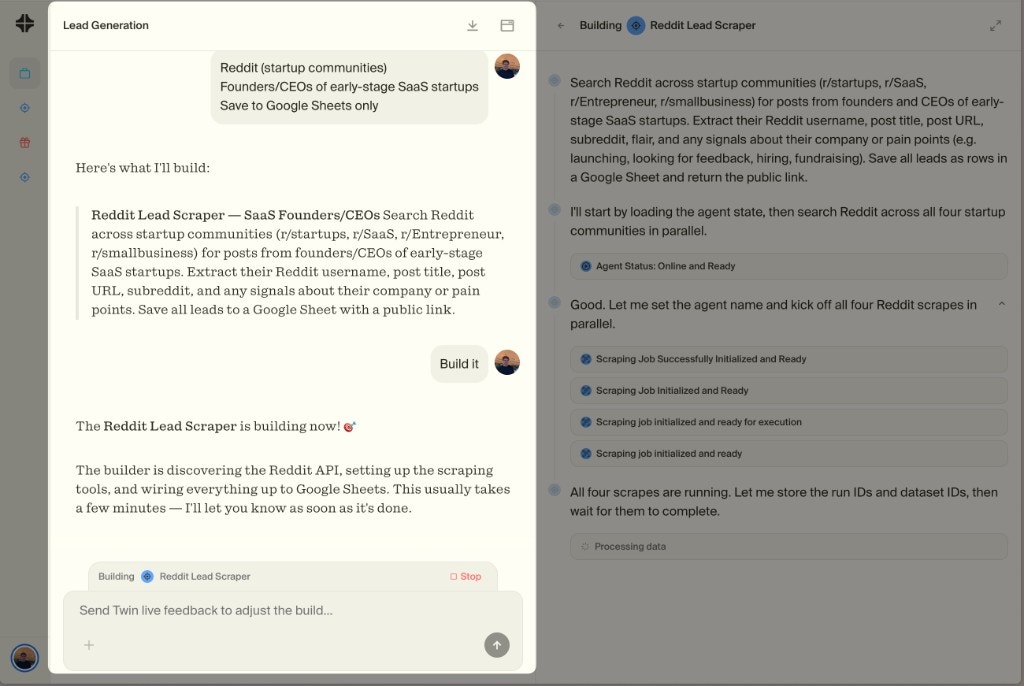
The Orchestrator (left) is your workspace manager — describe what you need and it builds agents for you
Step 3 — Give the Orchestrator your goal
Paste this prompt (or adapt it to your needs):Your prompt
“Every day at 9 AM, look into my Gmail inbox, categorize each new email by type (newsletter, client, internal, billing, other) into a Google Sheet, and send me a Slack message when finished with a summary of what was categorized.”
Step 4 — Connect your accounts
During the build, Twin will ask you to connect Gmail, Google Sheets, and Slack via OAuth. This is a one-click authorization — no API keys to manage, no tokens to copy. Twin handles the permissions securely.Step 5 — Review, test, and deploy
Twin will show you the execution plan and run a test. Review the results:- Are emails categorized correctly?
- Is the Sheet formatted how you want?
- Did the Slack message arrive?
Task 2: Event-Driven Email Responder
Your second agent reacts to real-time events — every time you receive a new email, it analyzes the content and sends you a suggested response via Telegram. This task introduces you to:Custom Webhooks
Triggering agents based on external events
Zero-Config Setup
The agent builds the webhook infrastructure for you
Step 1 — Create a new agent in your Workspace
In the same workspace, tell the Orchestrator:Your prompt
“Every time I receive a new email in Gmail, analyze it with AI and send me a suggested response via Telegram.”
Step 2 — Understand what’s happening
This is fundamentally different from Task 1. Instead of running on a schedule, this agent is triggered by an external event — a new email arriving. Twin will automatically set up a custom webhook that listens for incoming emails and fires the agent. You don’t have to manage anything. The agent builds the webhook infrastructure on the fly — no servers to configure, no endpoints to deploy, no polling logic to write.Step 3 — Connect Telegram
Twin will ask you to connect your Telegram account. Follow the prompts — this is the same smooth OAuth flow you experienced in Task 1.Step 4 — Test it live
Send yourself a test email and watch the agent react in real time. Within moments you should receive a Telegram message with a suggested response. Refine the tone, length, or format in the chat if needed, then deploy.Task 3: Browser Automation
Your third agent uses Twin’s Web Agent to interact with a real website — filling out a form just like a human would. This task introduces you to:Web Agent
Autonomous browser automation in an isolated cloud computer
Human-in-the-Loop
You can watch, intervene, and take control at any time
Step 1 — Create a new agent
Tell the Orchestrator:Your prompt
“Go to https://httpbin.org/forms/post and fill out the form with sample data, then submit it.”
Step 2 — Approve the browser task
Because browser automation is the most credit-intensive operation, Twin will ask for your permission before launching. You’ll see a preview of what the agent plans to do and can approve or edit the plan.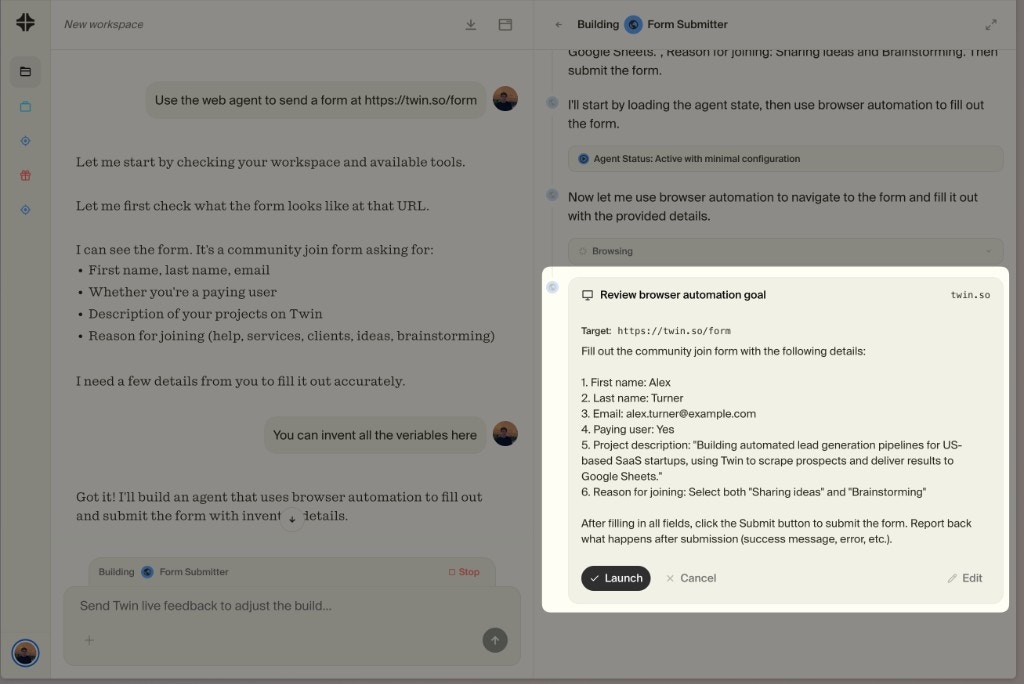
The agent asks for permission before launching the browser — you stay in control
Step 3 — Watch the agent work
An embedded browser window opens inside Twin. This is not your local browser — it’s an isolated cloud computer dedicated to your agent. You can watch every click, scroll, and keystroke in real time.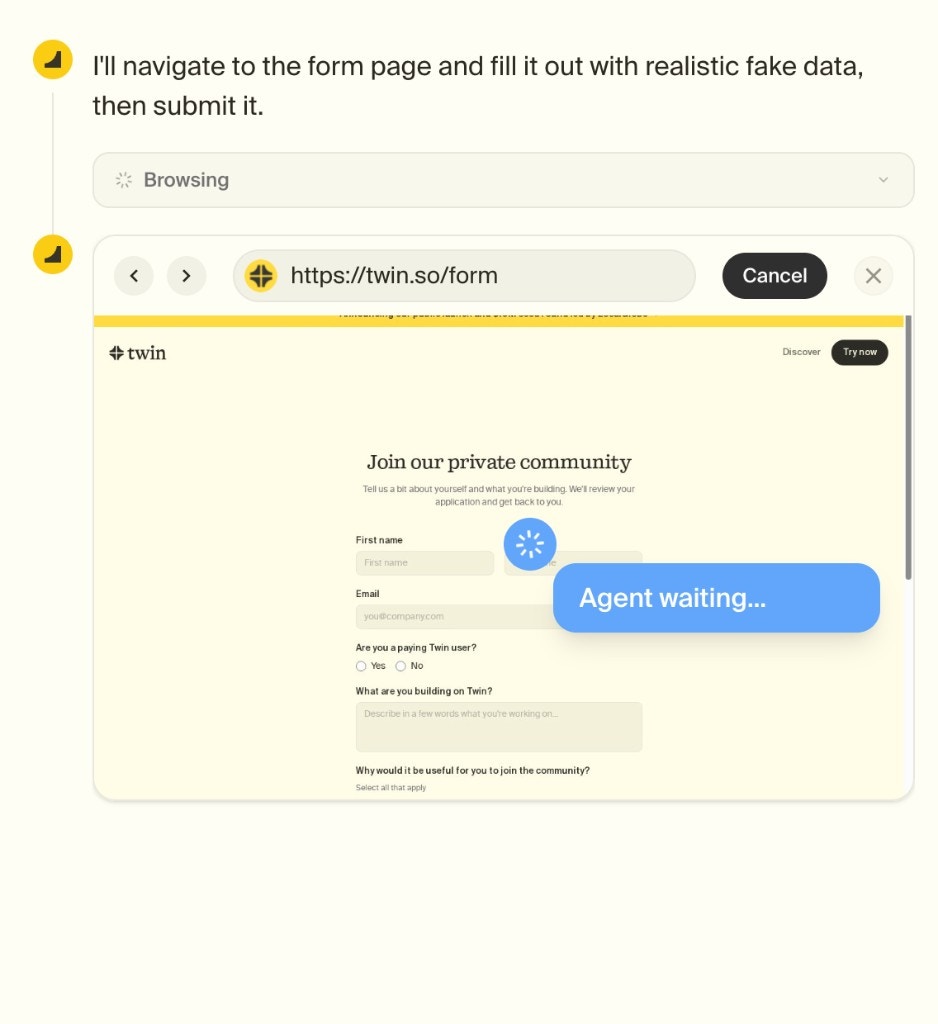
The embedded browser shows the agent filling out the form step by step
Step 4 — Understand when the Web Agent activates
The Web Agent isn’t something you manually choose — the agent decides automatically. It will always prefer APIs and built-in tools (they’re faster and cheaper). It only falls back to the browser when an API isn’t available or doesn’t support the required action.What You’ve Built
Scheduled Agent
Runs every morning, categorizes emails, notifies via Slack
Event-Driven Agent
Reacts to incoming emails in real time via webhook
Browser Agent
Fills out web forms autonomously in a cloud browser
- Workspaces — where agents live and collaborate
- Orchestrator — the chat that builds and manages your agents
- Build vs Run - creating agents (more expensive) vs executing them (typically 3-10x cheaper)
- Triggers — schedules, webhooks, and event-driven automation
- OAuth integrations — one-click account connections
- Web Agent — browser automation when APIs aren’t enough
What’s Next?
Tips and Tricks
Optimize your agents for cost, reliability, and quality
Build an Interface
Create a full app or website powered by your agents
REST API
Trigger agents programmatically from your own backend
Pricing
Understand credits, plans, and how to stay cost-efficient