
How Instructions Work
When you describe a goal to the Orchestrator, Twin doesn’t just run it blindly. It generates a structured set of instructions that the agent follows on every run.Auto-generated
Twin writes the instructions during build mode based on your goal
Fully editable
Open and modify them at any time to fine-tune behavior
Persistent
Instructions persist across runs — the agent follows them every time
Accessing Instructions
Every agent has an instructions panel you can open to see exactly what it’s doing under the hood. Step 1 — Click the instructions icon in the top-right corner of an agent’s view: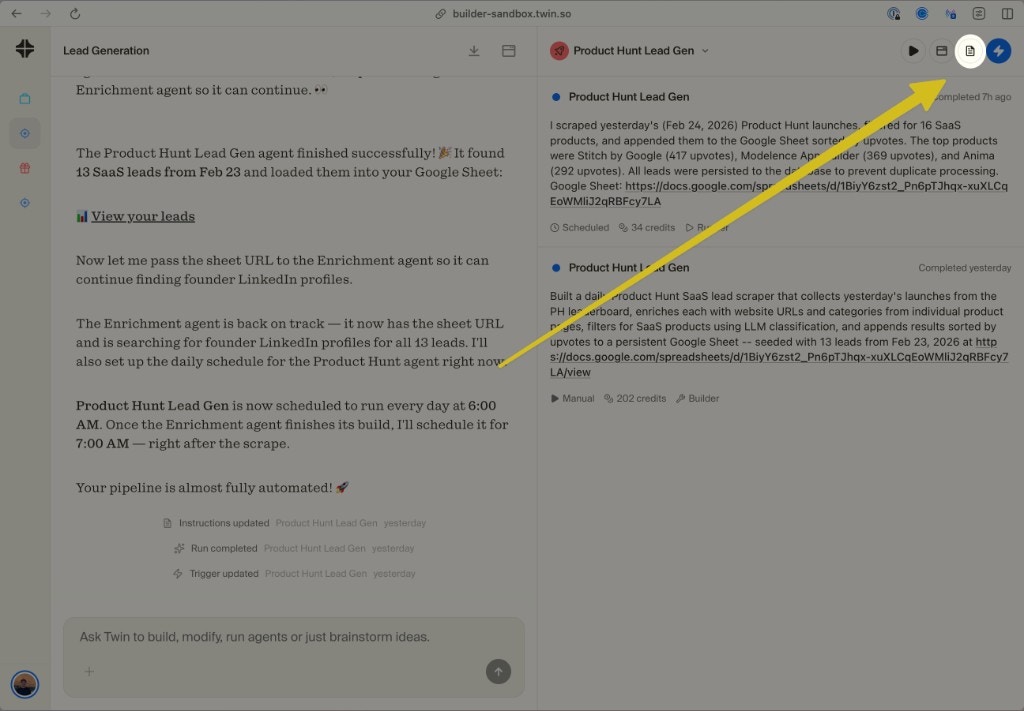
Click the document icon in the top-right to open the agent's instructions
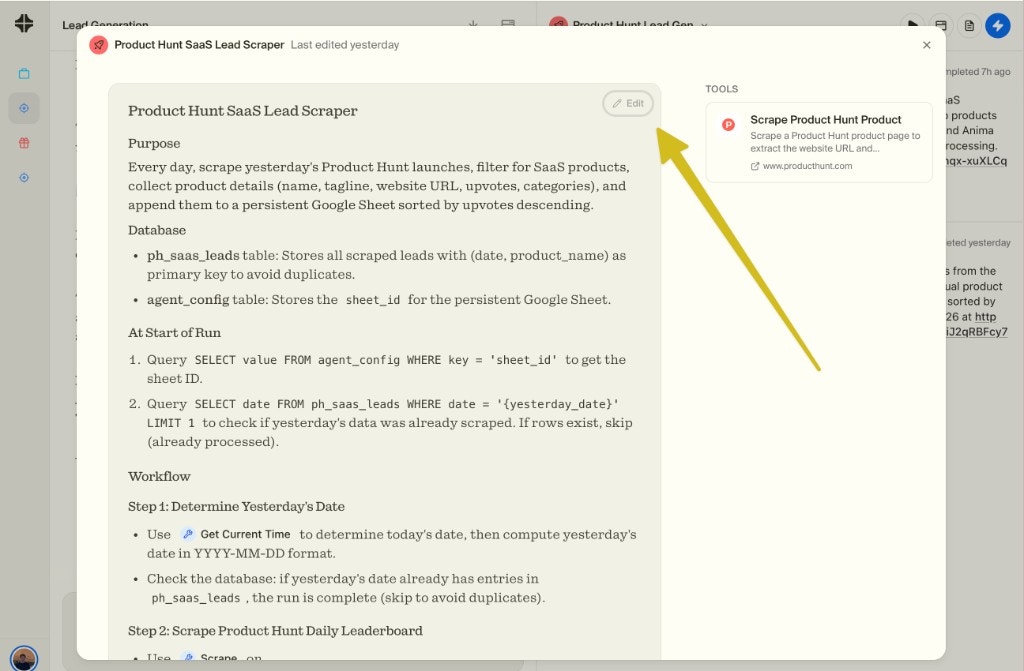
The instructions panel shows everything the agent does — purpose, database, workflow steps, and tools
What’s Inside Instructions
Instructions are structured documents that typically include:Editing Instructions
You can edit instructions in two ways:Through the Orchestrator
Tell the Orchestrator what to change — “make the agent also extract email addresses” — and it will update the instructions automatically.
Directly in the panel
Click Edit in the instructions panel to modify them by hand. Useful for precise tweaks like changing a filter, adjusting a threshold, or fixing a field name.
Why Instructions Matter
Consistency across runs
Consistency across runs
Without instructions, every run would be a fresh interpretation of your goal. Instructions ensure the agent behaves the same way every time — even when running autonomously on a schedule.
Full transparency
Full transparency
You can always see exactly what an agent is doing and why. No black box — if something goes wrong, open the instructions to understand the logic and fix it.
Cheaper iteration
Cheaper iteration
Editing instructions is much cheaper than rebuilding from scratch. Update a filter, add a step, or change an output format — all without triggering a full build.
Open Your Agents
View and edit your agent instructions in Twin